> ## Documentation Index
> Fetch the complete documentation index at: https://dripart-docs-recommend-assets-api.mintlify.site/llms.txt
> Use this file to discover all available pages before exploring further.

# ComfyUI 遮罩编辑器设置

> ComfyUI 遮罩编辑器设置选项的详细说明

<Info>
  本页面中描述的设置项位于 **ComfyUI 软件内的设置菜单**中。你可以通过点击 **设置**（齿轮图标）或使用 `Ctrl + ,` 快捷键打开设置面板，然后选择对应的分类来查看和配置这些选项。
</Info>

## 画笔调整

### 画笔调整速度倍增器

* **功能**: 控制调整时画笔大小和硬度变化的速度
* **说明**: 更高的值意味着更快的变化

### 将画笔调整锁定到主轴

* **功能**: 启用后，画笔调整将仅根据您移动的方向影响大小或硬度
* **说明**: 这个功能可以让用户更精确地控制画笔属性的调整

## 新编辑器

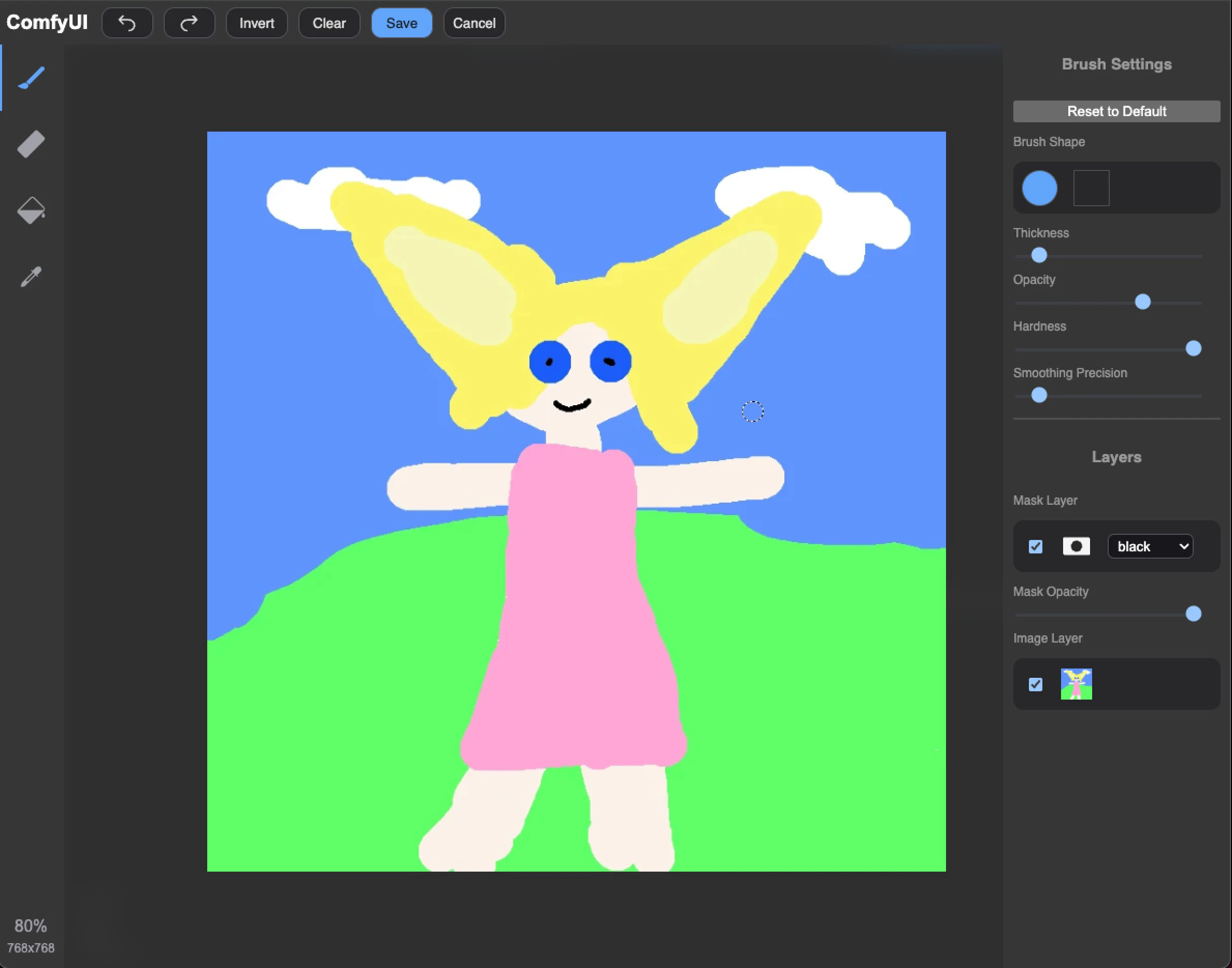
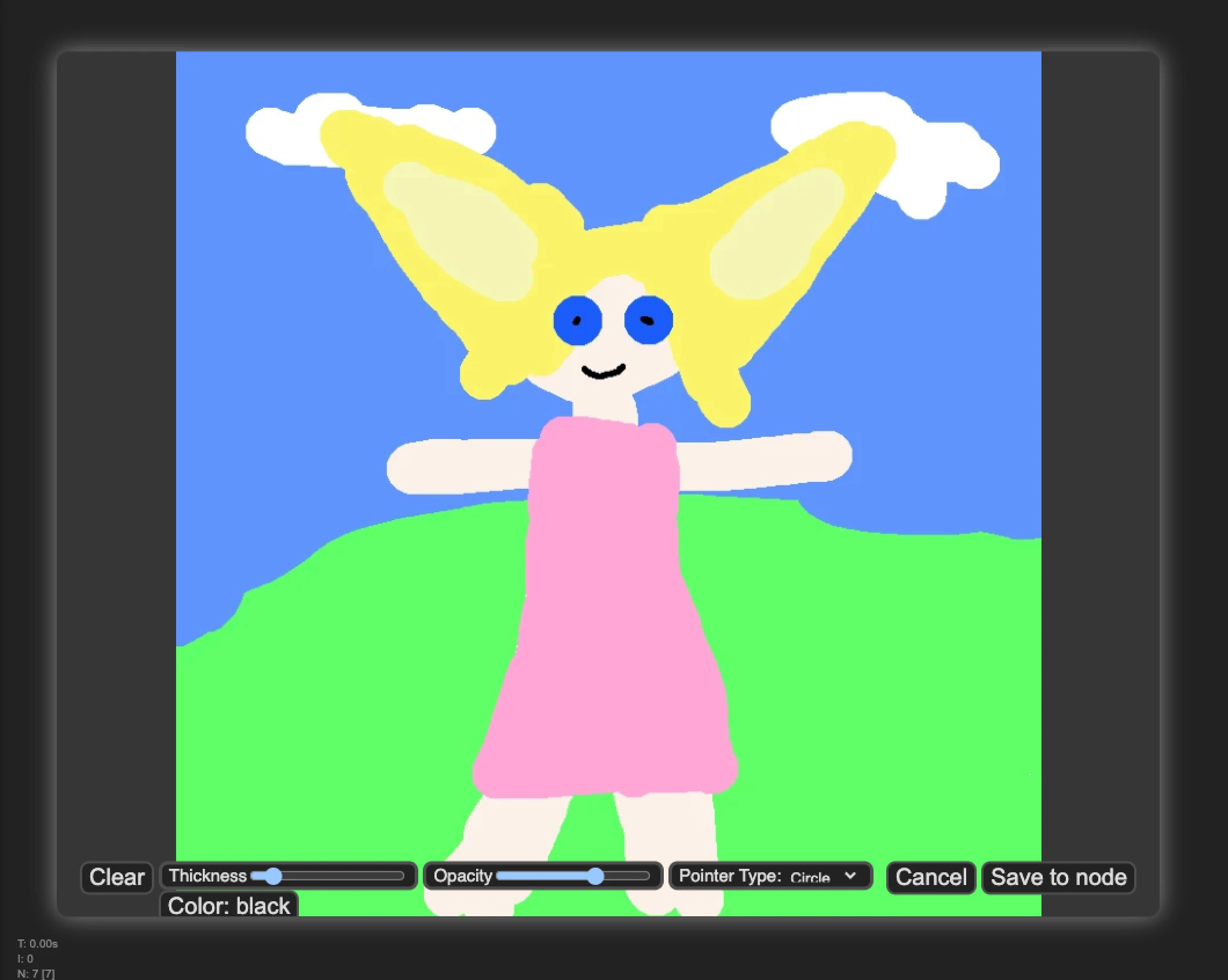
### 使用新画笔编辑器

* **功能**: 切换到新的画笔编辑器界面
* **说明**: 允许用户在新旧编辑器界面之间切换

<Tabs>
  <Tab title="新编辑器">
    新版本具有更好的 UI 界面和交互，功能会更加完整

    <img src="https://mintcdn.com/dripart-docs-recommend-assets-api/-j561wD0SOuxl3nM/images/interface/setting/maskeditor/new-mask-editor.jpg?fit=max&auto=format&n=-j561wD0SOuxl3nM&q=85&s=faa567e8850951265f07d31814308711" alt="new" width="2378" height="1868" data-path="images/interface/setting/maskeditor/new-mask-editor.jpg" />
  </Tab>

  <Tab title="旧编辑器">
    旧版本是早期版本，功能比较简单，但是可以满足基本需求，后续不会再进行更新

    <img src="https://mintcdn.com/dripart-docs-recommend-assets-api/-j561wD0SOuxl3nM/images/interface/setting/maskeditor/old-mask-editor.jpg?fit=max&auto=format&n=-j561wD0SOuxl3nM&q=85&s=668dc80f113204eca0a09abd150bc39c" alt="old" width="2120" height="1692" data-path="images/interface/setting/maskeditor/old-mask-editor.jpg" />
  </Tab>
</Tabs>