> ## Documentation Index
> Fetch the complete documentation index at: https://dripart-docs-recommend-assets-api.mintlify.site/llms.txt
> Use this file to discover all available pages before exploring further.
# Comfy Cloud サブスクリプションのキャンセル
> Comfy Cloud サブスクリプションのキャンセル方法について学びます
## キャンセル方法
Comfy Cloud サブスクリプションをキャンセルするには:
1. [cloud.comfy.org](https://cloud.comfy.org/?utm_source=docs) にアクセスしてログインします
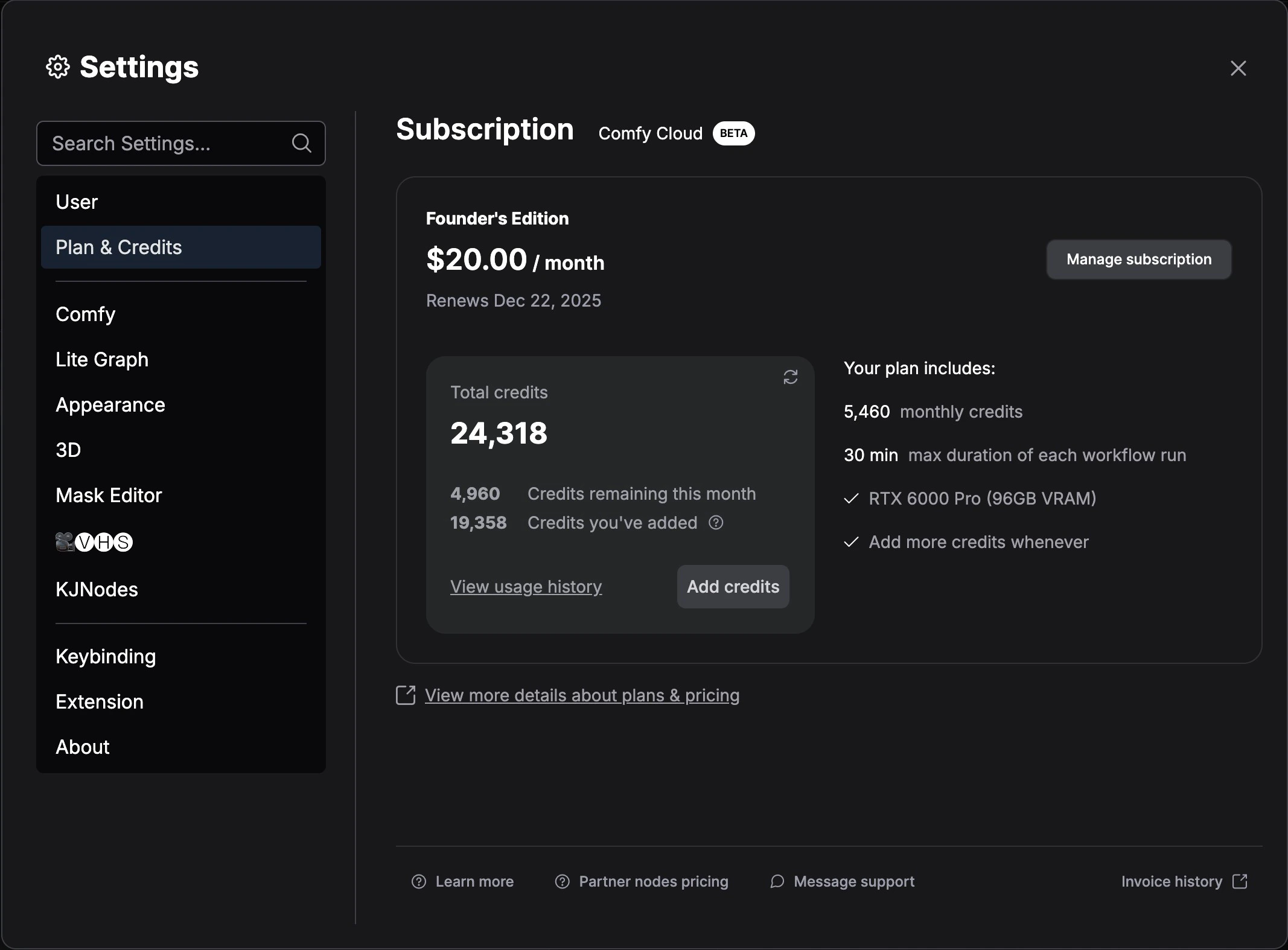
2. 設定メニューへ移動します
3. **Plan & Credits** に移動します
4. **Manage subscription** をクリックします
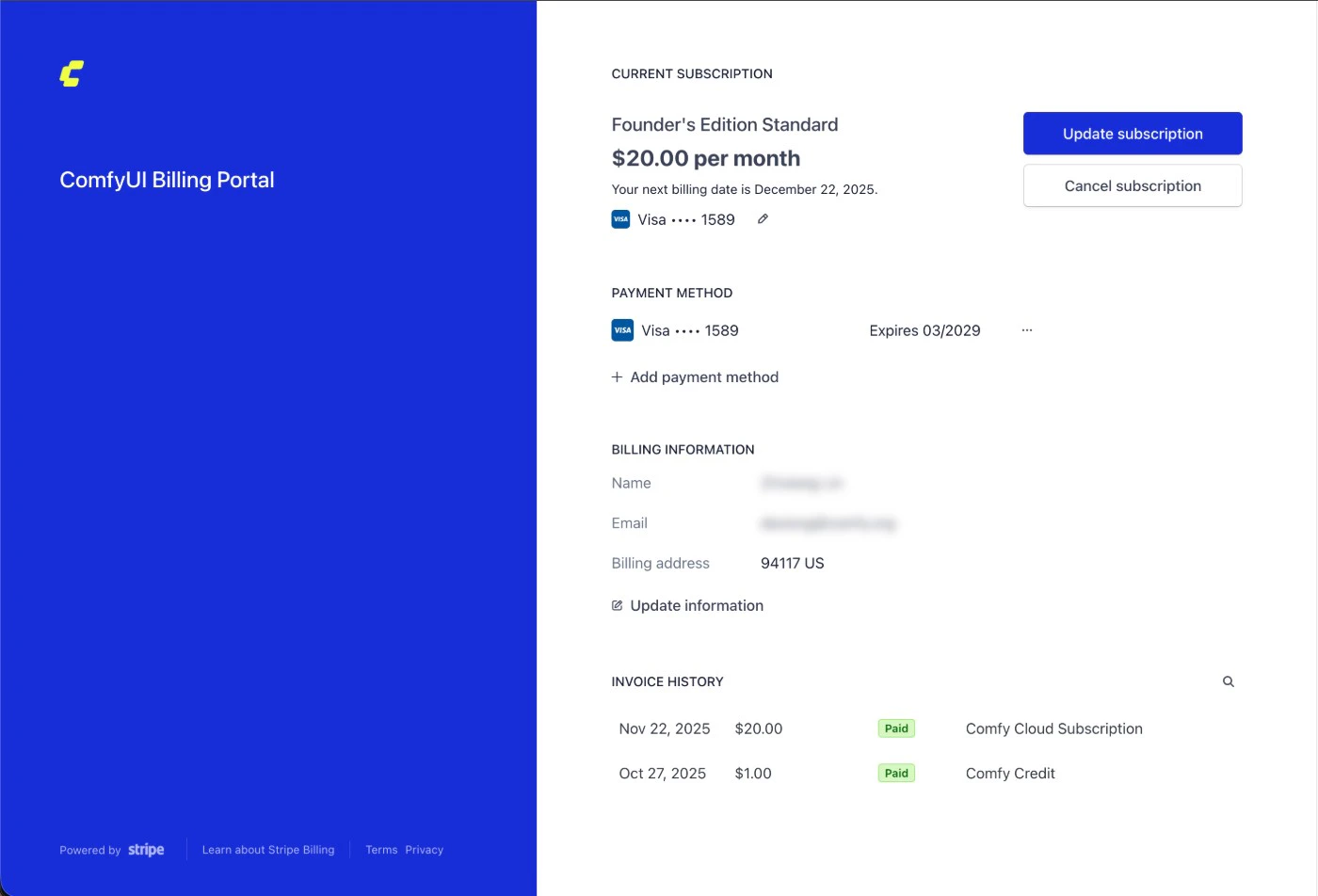
 5. Stripe の `Cancel subscription` ボタンをクリックしてサブスクリプションをキャンセルします
 ## 重要な注意事項
* Comfy Cloud のサブスクリプションプランはすべて、キャンセル設定を行わない限り自動的に更新されます
* サブスクリプションは、現在の請求周期が終了するまで有効のままです
* [cloud.comfy.org](https://cloud.comfy.org/?utm_source=docs) にアクセスすることで、いつでも再購読できます
## 重要な注意事項
* Comfy Cloud のサブスクリプションプランはすべて、キャンセル設定を行わない限り自動的に更新されます
* サブスクリプションは、現在の請求周期が終了するまで有効のままです
* [cloud.comfy.org](https://cloud.comfy.org/?utm_source=docs) にアクセスすることで、いつでも再購読できます